
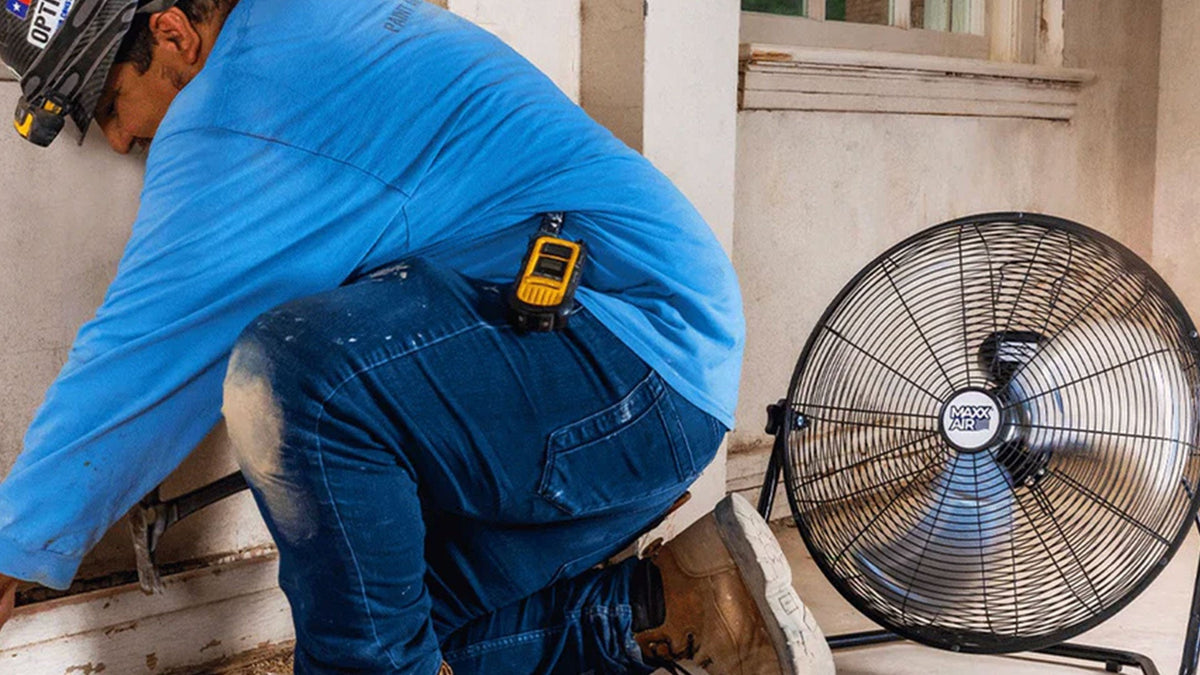
A fan that gets regular maintenance can last for decades. A fan that is ignored can fail in just a few years, even if it was high quality to begin with.
Maintenance is one of the most overlooked parts of fan ownership across every fan type. Ceiling fans, pedestal fans, bathroom and exhaust fans, attic ventilators, and industrial drum and wall-mount fans all benefit from the same basic care. Dust, friction, loose hardware, and dry bearings can all shorten fan life and reduce airflow regardless of fan type. The good news is that most maintenance tasks are quick, simple, and require no special tools.

Why Maintenance Matters
A clean, well-maintained fan moves more air, runs more quietly, and lasts longer.
Over time, fans collect dust, lose blade balance, and develop friction in the motor and bearings. This can cause:
- Reduced airflow
- Increased noise
- Vibration or wobbling
- Higher energy use
- Premature motor failure
Even a small amount of dust on the blades can reduce airflow and add stress to the motor. This applies to every fan type, from a small bathroom exhaust fan to a 96-inch HVLS commercial ceiling fan.
How Do You Clean a Fan?
Cleaning a fan is one of the most important and underrated maintenance tasks. Basic cleaning principles apply across all fan types: turn off and unplug the fan, remove dust from blades and grilles, wipe down the motor housing without letting water reach the motor, check for loose hardware, and reassemble.
Different fan types have different specific cleaning procedures, depending on their construction and where they are installed.
How to Clean a Ceiling Fan
Cleaning a ceiling fan is usually a 10 to 15 minute job that should be done every one to three months, depending on the environment.
Basic cleaning steps:
- Turn off the fan and let it stop completely
- Use a stable ladder or step stool with a spotter if needed
- Wipe each blade with a damp microfiber cloth
- Use a pillowcase trick for badly dusty fans: slide a pillowcase over each blade, then pull it back to trap dust inside
- Clean the motor housing, light kit, and pull chains
- Check for loose screws or hardware and tighten as needed
Avoid using harsh cleaners or excess water on motor housings. A damp cloth and mild soap is usually all that is required. For rooms with high dust, pet dander, or humidity, monthly cleaning is recommended.
How to Clean a Pedestal Fan
Pedestal fans collect dust on their grilles, blades, and motor housing, which reduces airflow and can cause overheating over time. To clean a pedestal fan:
- Unplug the fan from the outlet
- Remove the front grille (most models have a single hub nut or clip)
- Remove the blade (typically secured with a single nut)
- Wash the blade and grilles in warm soapy water, then dry thoroughly
- Wipe the motor housing with a dry or lightly damp cloth, avoiding the motor vents
- Reassemble and test
Pedestal fans should be cleaned every two to three months in normal home use, and monthly in dustier environments like garages and workshops.
How to Clean a Bathroom Fan
Bathroom fans collect dust, lint, and humidity-attracted particles that can reduce airflow significantly over time. To clean a bathroom fan:
- Turn off the fan at the wall switch and the breaker
- Remove the grille cover (usually by squeezing two metal spring clips on the sides)
- Vacuum dust off the grille and the inside of the fan housing
- Wipe the grille with mild soapy water and dry thoroughly
- Carefully wipe the fan blades and motor housing with a dry cloth
- Reinstall the grille and restore power
Bathroom fans should be cleaned every six months in low-use bathrooms and every three months in high-use bathrooms. Reduced airflow, increased noise, or visible dust buildup are signs the fan needs cleaning sooner.
How to Clean an Exhaust Fan
Exhaust fans in garages, and workshops accumulate dust, and airborne debris faster than other fan types because they actively pull contaminants out of the space. To clean an exhaust fan:
- Turn off the fan at the wall switch and the breaker
- Remove the grille or cover
- For dust-coated fans (typical of garage and workshop exhausts), vacuum thoroughly then wipe with a damp cloth
- Wipe the fan blades and motor housing carefully, never letting water reach the motor itself
- Reinstall and test
Exhaust fans in garages, workshops, and commercial spaces should be cleaned every two to three months depending on dust and use levels.
How to Clean an Industrial Fan
Industrial fans in workshops, gyms, garages, and warehouses collect dust quickly and require more frequent cleaning than residential fans. To clean an industrial fan:
- Disconnect power at the breaker or unplug the fan
- Vacuum or blow out vents and motor housing with compressed air
- Wipe blades and grilles with a damp cloth
- Check fan mounts and brackets for tightness
- Inspect cords for damage and replace if needed
- Reconnect and test
Wall-mount fans should be cleaned every one to two months in working environments. Industrial drum fans and high-velocity fans need similar attention, with extra focus on the motor's air intake vents. For commercial installations, OSHA-compliant grilles should be inspected during every cleaning to confirm they remain secure and undamaged.
Lubrication
Many modern fans use sealed bearings that require no lubrication. Older fans or larger commercial models may have oil ports or grease fittings that need attention.
If your fan has an oil reservoir, check the level once or twice a year and refill with the manufacturer-recommended oil. Industrial fans with grease fittings on the motor or pulley assembly should be lubricated according to the manufacturer's schedule.
Signs that lubrication may be needed include:
- Unusual humming or grinding noises
- Slower startup speeds
- Heat coming from the motor housing
- Stiff blade rotation when the fan is off
A fan that develops new noises is usually trying to tell you something. Humming or grinding usually means lubrication or bearing wear, buzzing often indicates loose mounting hardware or an electrical issue, clicking suggests a loose blade screw or blade contact with the housing, and high-pitched whining typically signals a failing capacitor in variable-speed motors. Identifying which type of noise is occurring helps narrow down the fix.
Fixing a Wobbly Fan
A wobbling ceiling fan is one of the most common problems people experience. Most wobble is caused by:
- Dust buildup on blades
- Loose blade screws or brackets
- Slightly bent blades
- An unbalanced blade
- Loose mounting hardware
A blade balancing kit (often included with new fans) can be used to identify which blade is causing the wobble. Even a small amount of weight added to the right blade can correct the problem.
If wobble persists after cleaning, balancing, and tightening, the issue may be a bent blade or worn bearings, which usually means replacement is needed.
How Do You Balance a Ceiling Fan?
To balance a ceiling fan, first clean all blades thoroughly to remove dust, then tighten all blade screws and the screws holding the blade brackets to the motor. If the wobbly ceiling fan still wobbles, use a blade balancing kit (often included with new fans) by clipping the included balancing clip to the middle of one blade at a time. The blade that reduces wobble most when clipped is the unbalanced one. Permanently attach the included balancing weight to the top of that blade, halfway between the motor and the blade tip. For wobble that persists after this process, the issue is typically a bent blade or worn bearing that requires part replacement.
Seasonal Operation (for Ceiling Fans)
Ceiling fans should be operated differently in summer and winter for maximum comfort and efficiency. (This applies specifically to ceiling fans; other fan types like drum, pedestal, exhaust, and wall-mount fans do not have seasonal direction settings.)
The direction the fan rotates determines whether it pushes cool air down for a cooling effect or redistributes warm air that has gathered near the ceiling. In summer, the fan creates a wind-chill effect that makes the room feel cooler, allowing thermostats to be set 3 to 4 degrees higher without sacrificing comfort. The U.S. Department of Energy notes this thermostat-raising approach is one of the most cost-effective ways to reduce summer cooling costs.
In winter, the fan can be reversed and run at low speed to push warm air (which naturally rises) gently back down along the walls and into the living space, reducing heating costs especially in rooms with high or vaulted ceilings.
Most ceiling fans include a reverse switch on the motor housing for changing direction. Newer fans may have a remote control or smart-fan app that handles the reverse function without manual switching.
Which Way Should a Ceiling Fan Turn in Summer and Winter?
In summer, a ceiling fan should turn counterclockwise when viewed from below, which pushes cool air down toward the floor for the wind-chill cooling effect. In winter, the ceiling fan direction should reverse to clockwise at the lowest speed, which gently pulls cool air up toward the ceiling and pushes warm air back down along the walls. The reverse switch on most ceiling fans controls direction, typically located on the motor housing as a small toggle switch. To change ceiling fan direction, turn the fan off completely, flip the reverse switch, and turn the fan back on. The change should be made at the start of each cooling and heating season.
Energy Use and Efficiency
Fans use much less electricity than air conditioning, but operating cost varies significantly by fan type. Understanding fan energy consumption helps owners decide when to run them, which type to buy, and how much they cost over time.
The motor type is the biggest factor in fan energy use. Traditional AC motors typically draw 50 to 100 watts at high speed in residential ceiling and pedestal fans. Modern DC motors can deliver the same airflow at 15 to 50 watts, making them 50 to 70 percent more efficient. Larger industrial fans and HVLS units draw significantly more, anywhere from 300 watts to several kilowatts depending on size and use, but their airflow-per-watt is often more efficient than running multiple smaller fans to cover the same space. ENERGY STAR certified ceiling fans are tested for airflow-per-watt efficiency, and the most efficient models in the program are typically DC-motor fans.
Do Ceiling Fans Use a Lot of Electricity?
No, ceiling fans use very little electricity compared to most home appliances. Running a ceiling fan continuously for 24 hours typically costs less than 25 cents at average U.S. electricity rates. The bigger cost savings come from being able to raise the thermostat 3 to 4 degrees while still feeling cool, which can reduce air conditioning costs by 5 to 10 percent during summer months. The fan's own electricity cost is dramatically less than the AC savings it enables.
Bathroom, Exhaust, and Attic Fan Maintenance
Bathroom fans, kitchen and shop exhaust fans, and attic ventilators have different maintenance needs than circulation fans. Their motors run intermittently rather than continuously, but they handle moisture, heat, grease, or dust that can shorten lifespan if ignored.
Regular maintenance for these fans includes seasonal inspection of grilles and housing for buildup, listening for new noises (which usually indicate motor wear or thermostat issues), and checking that intake and exhaust paths remain clear. Roof- and gable-mounted attic ventilators need annual inspection of the louver flaps and surrounding sealant to prevent water infiltration.
Why Is My Bathroom Fan Not Working?
A bathroom fan that is not working typically has one of four causes. A tripped breaker is the easiest to fix, check the breaker panel first. A failed switch is the second most common cause, identifiable by listening for any motor hum when the switch is flipped. A clogged grille or housing can stop blade rotation entirely when dust buildup becomes severe. A burned-out motor leaves the fan silent even with confirmed power at the switch. If the fan hums but the blade does not spin, the motor capacitor or blade hub is usually failing. Bathroom fans typically last 10 to 15 years with regular use, so a fan older than that with multiple symptoms is usually past replacement age.
Why Is My Attic Fan Not Working?
An attic fan that is not working most often has issues with the thermostat, which is the most common failure point because attic fans are usually thermostat-controlled and the thermostat fails before the motor does. The next most common cause is motor failure itself, followed by humidistat issues in newer fans and wiring problems in older installations. Start diagnosis by checking the thermostat: confirm it is set to a temperature lower than current attic temperature and listen for the click of activation. If the thermostat clicks but the fan does not run, the issue is mechanical. Attic fans typically last 10 to 15 years; a fan older than that with multiple issues is usually due for replacement.
How Often Should You Replace an Exhaust Fan?
Exhaust fan replacement is typically needed every 10 to 15 years for residential bathroom and kitchen fans, and every 15 to 25 years for commercial-grade exhaust fans depending on use intensity. Common signs an exhaust fan needs replacement include significantly reduced airflow even after thorough cleaning, persistent grinding or humming noises that continue after lubrication, motor heat or burning smells, or the fan failing to fully start up at higher speeds. For exhaust fans installed in moisture-heavy environments or commercial kitchens, expect replacement sooner due to the harsher operating conditions.
Industrial Fan Maintenance and Repair
Industrial drum fans, wall-mount fans, and HVLS units have different maintenance needs than residential fans because they often run continuously and use belt drives, larger motors, and more accessible mechanical components.
For belt-driven industrial fans and drum fans, belts wear out over time and need replacement. Signs of a worn belt include:
- Slipping or squeaking under load
- Cracks or fraying
- Glossy, worn surface
- Loss of airflow at higher speeds
Most replacement belts and blades are inexpensive and readily available from the original manufacturer. Replacing them is usually a 15 to 30 minute job.
Other commonly replaced industrial fan parts include:
- Pull chains and switches
- Light kits and bulbs
- Remote control receivers
- Capacitors (for variable-speed motors)
- Mounting brackets and hardware
- OSHA-compliant safety grilles in commercial installations
How Do You Repair an Industrial Fan?
Industrial fan repair depends on the failure type. The most common repairs are belt replacement on belt-driven drum fans (a 15 to 30 minute job with belts typically costing $20 to $80), capacitor replacement on variable-speed motors (when fans hum but won't start or run at the wrong speed), and bearing replacement on older fans (when grinding noises develop). For motor failure, replacement is usually more economical than repair unless the fan is a high-value commercial unit. Always disconnect power and lock out the breaker before working on industrial fans, and check the condition of OSHA-compliant grilles during any repair work in commercial installations.
Expected Lifespan by Fan Type
How long do ceiling fans last? Most run 10 to 15 years, with high-end DC-motor models reaching 20 and budget models lasting 5 to 7. The same kind of range applies across other fan types: pedestal, exhaust, attic, drum, and HVLS fans each have characteristic lifespans based on construction quality and use environment.
|
Fan Type |
Typical Lifespan |
|---|---|
|
Budget ceiling fan |
5–7 years |
|
Quality residential ceiling fan |
10–15 years |
|
High-end ceiling fan with DC motor |
15–20 years |
|
Tower or pedestal fan |
3–7 years |
|
High-velocity floor fan |
5–10 years |
|
Heavy-duty wall-mount fan |
10–15 years |
|
Bathroom exhaust fan |
10–15 years |
|
Attic ventilator |
10–15 years |
|
Industrial drum fan |
10–20 years |
|
Industrial exhaust fan |
10–25 years |
|
HVLS commercial fan |
15–25 years |
Heavy use, dusty environments, and high temperatures shorten lifespan. Climate-controlled indoor use with regular cleaning extends it.
When to Repair vs Replace
Repair often makes sense when:
- The motor is still working but the blades, switch, or capacitor have failed
- Replacement parts are inexpensive and available
- The fan is high quality and otherwise in good condition
Replacement makes more sense when:
- The motor is failing or has burned out
- Wobble persists despite cleaning and balancing
- Multiple parts have failed at once
- The fan is older than its expected lifespan
- Newer models offer significantly better efficiency or features
For inexpensive residential fans, replacement is often more cost-effective than repair. For high-end residential, commercial, and industrial fans, repair is usually worth pursuing because the savings over a new fan are significant. The general cost rule: if repair parts and labor would exceed half the cost of a comparable new fan, replacement is usually the more economical choice.
Maintenance Pays for Itself
A few minutes of cleaning every month or two can add years to a fan's useful life. Keeping blades clean, hardware tight, and motors lubricated helps maintain airflow, reduce noise, and prevent breakdowns across every fan type, from a small bathroom exhaust fan to a 96-inch HVLS warehouse fan.
For fans in commercial, industrial, and agricultural use, a basic maintenance routine is often the difference between a fan that lasts five years and one that lasts twenty.